
Key Points
Key Takeaways
- 1
Automatically generate professional-grade diagrams in seconds just by entering text, Supports over 30 types including flowcharts
- 2
mind maps, and infographics, Fully supports Japanese and can be used immediately by anyone with intuitive operations, Basic functions are free
- 3
significantly reducing document creation time without the need for design skills
Introduction
The work of creating diagrams and flowcharts for presentation documents really takes time, doesn’t it? Have you ever had the experience where hours passed before you realized it, worrying about design in PowerPoint or Canva, or fine-tuning the positions of arrows?
When you actually try it, the effort of creating diagrams is greater than imagined. If you don’t have specialized design skills, you remain anxious about quality, but on the other hand, if you commission a professional, it costs money. This is good news for business people, students, and bloggers with such worries.
“Napkin AI,” introduced this time, is an innovative AI tool that automatically generates high-quality diagrams just by entering text. In September 2024, it also supported Japanese, and it is attracting attention domestically. It is said that you can create various diagrams that can be used in business, such as flowcharts, mind maps, and infographics, in a few seconds.
In this article, I will thoroughly review the actual usage, pricing plans, and honest merits and demerits.
*This article includes some affiliate links.
The Possibility of “Information Transmission” that Napkin AI Changes
Diagrams and visual content are powerful weapons for conveying complex information in an easy-to-understand way. It is said that the human brain can process visual information 60,000 times faster than text.
Conventionally, specialized knowledge and time were required to create such visual materials. Mastering how to operate design tools, thinking about color placement and layout, and repeating corrections many times… while this process was creative, it was extremely laborious.
Napkin AI removes this “wall of visualization.” You get a diagram just as it is, with the feeling of summarizing your thoughts in sentences. This simplicity not only shortens document creation time but also changes the quality of organizing ideas and communication.
In cases like preparation time for a meeting being halved, complex concepts being shared in an instant, or the persuasiveness of blog articles rising remarkably, Napkin AI is not just an efficiency tool but a new bridge between thought and expression.
Napkin AI: An Innovative Tool that Generates Diagrams from Text
Intuitive Operation that Anyone Can Use
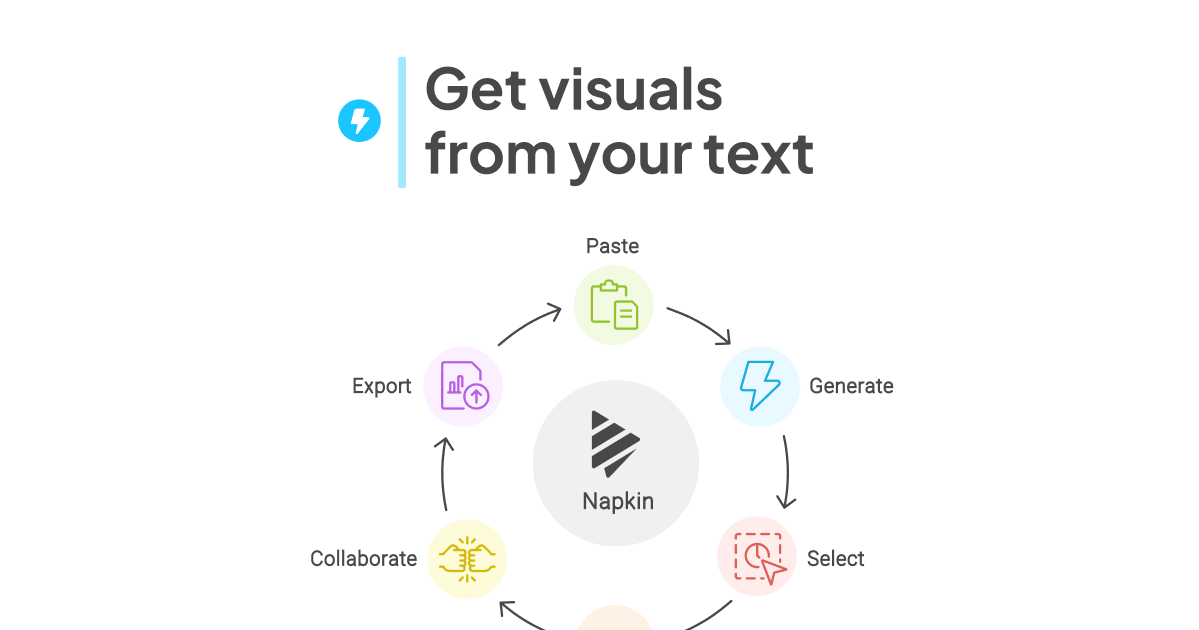
The biggest charm of Napkin AI lies in its ease of use. After creating an account, just paste the text and click the lightning icon. In just a few seconds, several diagram candidates are displayed.
There is no need to master complex menus like design tools. Anyone can immediately start using it with a feeling like a text editor.

Is it okay even for me who has no design sense at all?

Of course. If you have text, the rest is the AI proposing the optimal layout and design. Anyone can make a professional-looking diagram.
From actual users, many voices are heard saying, “Even without design knowledge, I could make a professional-looking diagram.” Especially for business people pressed by deadlines, this ease is a great value.
Supports Various Diagram Types
Flowcharts, mind maps, Venn diagrams, organizational charts, timelines, comparison tables… Napkin AI supports over 30 types of visual designs.
Since the AI analyzes the content of sentences and automatically proposes the optimal diagram type, you can also reduce the time you worry about “what format should I express this in.”
For example, for a sentence explaining project procedures, a flowchart; for indicating the relevance of ideas, a mind map; in this way, the AI understands the context and chooses an appropriate format.
Ensuring Freedom of Editing
Generated diagrams can be used as they are, but fine customization is also possible. You can edit with intuitive operations such as changing colors, adjusting fonts, replacing icons, and fine-tuning layouts.
Especially by using the color palette function, you can extract major colors from an image just by uploading it and apply them to the diagram. It is also ideal for making documents to match a corporate brand color.
Also, it supports collaborative editing within a team, and the point that you can add comments in real time or have several people make corrections at the same time is also practical.
Peace of Mind for Domestic Users with Japanese Support
By officially supporting Japanese from September 2024, ease of use in Japan has been dramatically improved. You can generate natural Japanese diagrams from Japanese text, making the creation of business documents and presentation materials smooth.
However, since the UI remains in English notation, you might be a bit confused when using it for the first time. Nevertheless, since the operation itself is simple, you will soon get used to it after using it a few times.
Diverse Export Formats
Completed diagrams can be exported in PNG, PDF, SVG, and even PowerPoint formats. Since they can be used selectively according to the application, they can be utilized in all scenes such as presentation materials, blog articles, and SNS posts.
Especially the SVG format is suitable for printed matter because the image quality does not degrade even when enlarged. This flexibility elevates Napkin AI from a mere diagram generation tool to a full-scale business tool.
The Whole Picture of Pricing Plans: How Much Can You Use for Free?
Detailed Explanation of the Three Plans
Napkin AI has three pricing plans: Free, Plus, and Pro. Let’s look at the features of each.
Free Plan
500 credits are granted per week, and basic diagram generation is possible. Since about 1 credit is consumed per word, it can be said to be a sufficient amount for normal use.
Export formats support PNG and PDF. There are limits on the number of projects that can be created, and color options are limited, but it is ideal for those who want to try it out first.
Plus Plan (about 1,200 yen per month)
10,000 credits are granted per month, and it is a plan for those who create diagrams more frequently. Unlimited project creation, export in SVG format, 12 types of vivid color access, switching between day and night modes, etc., become possible.
Since priority email support can also be received, it is suitable for freelancers and small teams who want to utilize it seriously in business.
Pro Plan (about 2,400 yen per month)
The highest-tier plan with 30,000 credits granted per month. In addition to all the functions of the Plus plan, custom color palettes, premium support, early access to new features, etc., are included.
It can be said to be a plan for companies that use it as a whole team or create a large amount of documents.
Currently, Napkin AI is provided as a beta version. During this period, functions of the Professional plan, which are originally paid, may be available for free. Since it is not disclosed when it will be monetized, I recommend trying it out early.
Consideration of Cost Performance
If you commission a designer for diagram creation, it is not rare for it to cost several thousand to several tens of thousands of yen per sheet. Compared to that, Napkin AI, which can make diagrams without limit for about 1,000 yen per month, can be said to have a very high cost performance.
Also, if you think about the time cost when you create using design tools yourself, the value of Napkin AI rises further. If what took 1 hour for one diagram is completed in several minutes, a multi-hour time reduction per month is certain.
5 Charms Found by Actually Using It
Overwhelming Time Reduction Effect
What took 3 hours for diagram creation for presentation materials conventionally can be shortened to about 30 minutes using Napkin AI. When actually used, it was found that this difference is greater than expected.
A few seconds after entering text until the diagram is displayed. Even if you choose from several candidates and add fine adjustments, it will be completed in 10 minutes. This ease has a charm that you cannot let go of once experienced.
Sense of Security of Being Design Skill-less
The point that you can make look-good diagrams even without specialized design knowledge is a big merit. Since AI automatically adjusts color combinations and layout balance, even design beginners can use it with peace of mind.
Even those who said, “I avoided diagrams because I didn”t have sense,” will be able to create documents with confidence with Napkin AI.
Also Useful for Organizing Thoughts
In the process of making diagrams, there is a feeling that one’s own thoughts are organized. By visualizing information summarized in bullet points, logical flow and omissions become easier to see.
It is also excellent as a thinking tool, such as mind-mapping ideas before a meeting or checking the whole picture of a project with a flowchart.
Value for Utilization in Team Work
Through the collaborative editing function, collaboration in remote work also becomes smooth. Since all members can discuss while looking at the same diagram and feedback can be reflected on the spot, the efficiency of communication rises.
Especially in situations where several people come up with ideas, such as progress management of a complex project or brainstorming for a new plan, it demonstrates its power.
Versatility that Can Respond to Diverse Applications
High versatility that can be utilized in all scenes such as business documents, educational materials, blog articles, SNS posts, and research presentations is also a charm.
Before-and-after comparisons of sales materials, flowcharts for training, and mind maps of marketing strategy, etc., applications are infinite. Once you master how to use it, “it helps in various situations.
Honestly Telling 3 demerits
- • Create professional-grade diagrams without design skills
- • Overwhelming time reduction effect
- • Effective for organizing thoughts and team collaboration
- • There is a limit to the uniqueness of design (it looks like Napkin AI)
- • Fine customization is difficult and inferior to professional tools
- • Editing functions on mobile are limited and PC work is essential
Limit to Uniqueness of Design
While generated diagrams are simple and sophisticated, there are also voices saying it is easy to tell it was “made with Napkin AI.” It seems to sometimes give impressions like “looks like a shady IT company” or “monotonous.”
If you seek delicate and individual designs, or if you want to strongly put forward the world view of a brand, you might feel a lack.
Limits of Fine Customization
Basic editing can be done, but it does not respond to highly advanced customization used by professional designers. For example, adjusting complex layouts or adding special effects will be difficult.
Also, there are cases where diagrams proposed by AI do not turn out as expected. It might not fully respond to fine requests such as “I want to make a slightly longer flowchart” or “I want a graph emphasizing before-and-after.”
In such cases, it might be necessary to finish with other tools such as Illustrator or Canva based on the generated diagram.
Limits of Mobile Support
Although it can be viewed on smartphones and tablets, editing functions are limited. Since work on a PC is essential to use full functions, you will feel inconvenience when you want to edit quickly on the go.
For those who have a lot of work during travel or at a cafe, this point might be a minus point. However, the development team is said to be considering future mobile support, so I would like to expect future improvements.
What is the Way to Use that Suits You? Utilization by Scene
Business Presentation
Utilization in business scenes, such as sales materials, planning documents, and explanations of management strategies, is the most common. It helps in making persuasive documents, such as visualizing complex data or showing the whole picture of a project in a flowchart.
Especially when you have to make presentation materials in a hurry when you don’t have time, Napkin AI becomes a powerful ally.
Education and Training Materials
For teachers and lecturers, being able to explain complex concepts in diagrams is a big merit. The degree of students’ understanding rises, and the quality of lessons also improves.
It can be utilized for document creation for online courses and the production of e-learning content.
Blog and SNS Operation
It is said that the stay time of readers becomes longer for articles with diagrams than for articles with only text. If you embed diagrams made with Napkin AI in an article, visual appeal rises remarkably.
Also, it is effective when you want to increase engagement on SNS. Infographics that summarize information concisely tend to be easily shared.
Project Management
It can also be applied to project management, such as visualizing the progress of tasks with Gantt charts or clarifying the division of roles in a team with organizational charts.
When sharing progress in periodic meetings, if there are visual materials, it is easy for all members” understanding to align.
Idea Organization and Brainstorming
By using the mind map function, you can quickly organize ideas in your head. It is excellent as an individual’s thinking tool, such as planning a new business or organizing thoughts for problem-solving.
Even in brainstorming sessions with a team, visualization of ideas proceeds smoothly because discussions can proceed while making diagrams in real time.
5 Points to Confirm Before Introduction
- Purpose of use : If made frequently, have paid plans in perspective * Confidentiality of data : Since it is cloud-saved, pay attention to important information (opt-out possible) * Commercial use : Use of creations is OK, but selling the diagrams themselves is NG * Integration with other tools : Confirm compatibility with PowerPoint and Google Slides * Beta version : Consider the possibility of functions and fees being changed
Summary: The Future of Document Creation that Napkin AI Changes
Napkin AI is a tool that significantly reduces the time and stress of document creation with an innovative function of automatically generating diagrams from text. Intuitive operability, diverse diagram types, and flexible customization are attractive, and it can be recommended to a wide range of people such as business people, educators, and bloggers.
On the other hand, there are challenges such as limits to design uniqueness and fine customization, and insufficient mobile support. Nevertheless, even considering these demerits, the time reduction effect and ease of use are a great value.
Especially for those who are “troubled because diagram creation takes time” or “want to make look-good documents despite having no design skills,” it will have enough value to try out.
Since it can be started from a free plan, please try registering casually first and confirm whether it suits your application. During the beta period right now, functions for fee may be available for free.
Why not try making your communication one level higher by making the “power of vision,” called diagram, your ally?
Stepping Up: Learning Diagrams and Design
Once you can easily create diagrams with Napkin AI, the next thing recommended is to try learning the basics of design, such as “how to show it so that it is better conveyed to the other party.” By acquiring techniques for organizing visual information, you can further increase the utilization effect of AI tools.
おすすめ書籍紹介
A book that explains the essential reasons of why that diagram is easy to understand along with specific examples. It's full of hints for brushing up diagrams made with Napkin AI to something more persuasive.
Reference Information
Napkin AI - Visuals from Text
*Information introduced in this article is as of January 2026. Service content and fees may change. Please confirm latest information on the official site.
#NapkinAI #DiagramGenerationAI #DocumentCreation #BusinessTool #PresentationMaterials #AITool #BusinessEfficiency #DesignTool #TextToDiagram #VisualizationTool







⚠️ コメントのルール
※違反コメントはAIおよび管理者により予告なく削除されます
まだコメントがありません。最初のコメントを投稿しましょう!