
Introduction
A beautiful, seamless white curve placed next to a MacBook. Apple’s Magic Mouse goes beyond the framework of a mere input device, boasting the completion of a single object.
In 2024, it finally adopted the long-awaited USB-C port , saying goodbye to the Lightning cable. However, has “that specification” many users were concerned about changed? And in this era of trackpad dominance, what is the reason for choosing a mouse?

“I’m glad it’s now USB-C, but has the issue of flipping it over to charge been fixed?”

“Unfortunately… the charging port is still on the bottom. In other words, you can’t use it while charging. This might be part of Apple’s aesthetic.”
In this article, we will actually use the new Magic Mouse (USB-C) and provide a fair review of its charm and reality. Will you be fascinated by the design, or will you return to functionality? This guide is here to help you choose.
3 Reasons to Choose Magic Mouse
1. Unique Multi-Touch Experience
The surface of the Magic Mouse is not just plastic. The entire surface is a touch sensor. This allows for trackpad-like gesture operations despite being a mouse.
- 360-degree Scroll : Free vertical, horizontal, and even diagonal movement with one finger.
- Swipe : Quickly go back or forward in a browser with two fingers.
- Mission Control : Open the window list with a two-finger double-tap.
Especially when handling wide Excel tables or moving around the canvas in Adobe XD or Figma, you get a “sticky” scroll experience not found in physical wheels. Once you get used to this, general wheel mice might feel quite restrictive.
2. Design that “Orchestrates” Your Desk
For those who care about their desk environment, the value of the Magic Mouse is not just in its functions. It has an overwhelming sense of unity when paired with a MacBook, Studio Display, and Magic Keyboard.
The seamless design without buttons or wheel protrusions creates a visual space without noise. The feeling of “working with beautiful tools” is an invisible force that enhances creativity.
3. Complete Integration with the Apple Ecosystem
Automatic pairing where the Mac recognizes it just by taking it out of the box and turning it on. Integration where you can adjust scroll inertia and tracking speed surprisingly finely from system settings. No need to install third-party mouse driver software, as all behaviors are native to macOS.
Comparison: Magic Mouse vs MX Master 3S
Let”s compare it with the pinnacle of professional mice, “the Logitech MX Master 3S.
| 項目 | Magic Mouse (USB-C) | MX Master 3S |
|---|---|---|
| Scrolling | Touch Sensor (360°) | MagSpeed Electromagnetic Wheel |
| Ergonomics | Slim/Symmetrical | 3D Shape/Right-hand only |
| Use While Charging | No (Bottom Port) | Yes (Front Port) |
| Customization | Gestures only | All buttons assignable |
| Price | ~$80 | ~$100 |
| Target User | Design/Web browsing focus | Heavy work/Functionality focus |
As this table shows, the division is clear: Magic Mouse for beauty and gestures , MX Master 3S for productivity and fatigue reduction .
Honest Disadvantages
Of course, it’s not a perfect product. The weaknesses pointed out for many years have been carried over even in this update.
Charging Issue: The Price of Beauty
As mentioned earlier, the charging port is on the bottom. When you get a low battery notification, you need to stop your work, flip the mouse over, and plug in the cable.
However, the following points are also true: 1. The battery lasts about a month, so the charging frequency is low. 2. Two minutes of charging provides up to 9 hours of use, so you can make it through the day by charging during a restroom break.
Ergonomics: “Grabbing” vs “Pinching”
Because the Magic Mouse is thin, you cannot hold it with your entire palm (palm grip). You need to hold it by lightly pinching it with your fingertips. If this continues for a long time, some people may feel a burden on their hands.
Who Should (and Shouldn’t) Buy It
✅ Recommended for
- People who like MacBook trackpad operations
- People who want to keep their desk as simple and beautiful as possible
- People whose main activities are web browsing, photo organization, and light video editing
- People who often perform horizontal scrolling
❌ Not Recommended for
- People who grab their mouse and work heavily for 8+ hours a day
- People who don’t want to stop work for even a moment while charging
- People who need millimeter-level precision, such as for 3D CAD or FPS games
Summary: Is This a Mouse You Can “Love”?
The Magic Mouse USB-C is not a tool that only pursues efficiency. It is packed with values that are hard to quantify, such as “the pleasure of operation itself” and “the beauty of space.”
If you wish to make your time using a Mac a richer experience, this mouse will be your best partner. On the other hand, if you prioritize “comfort” and “function” as a pure tool, you should consider other options.
Which value system do you choose?
Apple Magic Mouse (USB-C) - White
RECOMMENDATION
The definitive choice for Mac users seeking Multi-Touch comfort and desk aesthetics. If you can tolerate the charging specifications, you will get the best experience.
Read Also
Logitech MX Master 3S Review
 HonoGear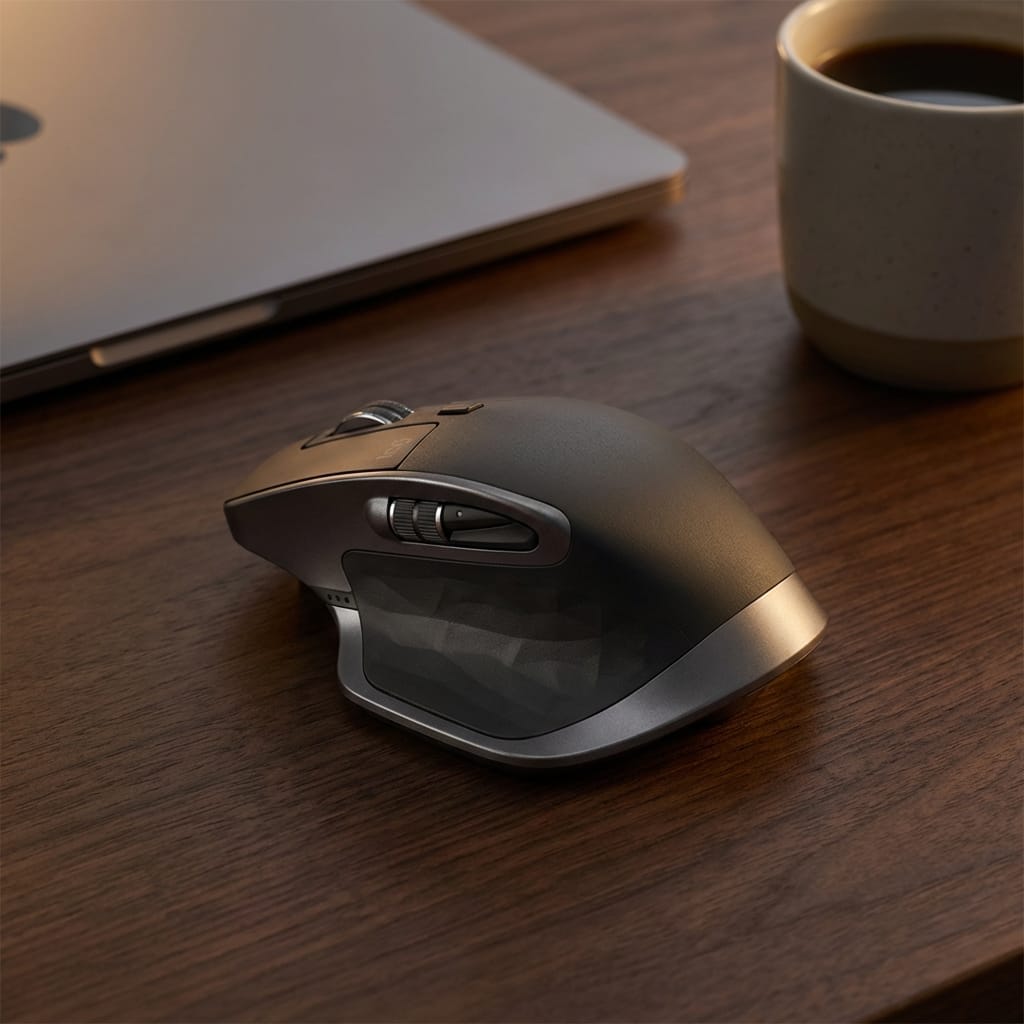




⚠️ コメントのルール
※違反コメントはAIおよび管理者により予告なく削除されます
まだコメントがありません。最初のコメントを投稿しましょう!