
Introduction

“Aren’t all keyboards the same?” “Going back and forth between the mouse and keyboard is subtly annoying…”

The longer you work at a desk, the more you realize these small stresses are draining your concentration. I myself have spent years searching for the “ideal input environment.”
HHKB Studio is an “All-in-One” keyboard that faces these concerns head-on. Since its release in 2023, this innovative device that has stirred up both praise and criticism now has a new color: “Snow.”
HHKB Studio “Snow” is more than just a different color. It is the ultimate time-saving tool that allows you to immerse yourself in creative work without ever taking your hands off the home position.
In this review, we thoroughly explore the true value of the beautiful “Snow” model with its pure white housing.
The Meaning of “All-in-One” Embodied by HHKB Studio
Philosophy of Not Breaking the Home Position
HHKB Studio adapts the origin of HHKB—“high-speed typing with minimal movement”—to the modern GUI environment.
- Pointing Stick : Cursor control in the center of the keyboard
- Mouse Buttons : Three placed under the space key
- Gesture Pads : Four on the sides for scrolling or switching
These allow almost all PC operations to be completed while keeping your hands on the home position.
Who is This Keyboard For?
- Designers & Creators : Who want to balance intuitive operation with typing _ Knowledge Workers : Who want to switch between multiple apps at high speed _ Minimalists : Who want to eliminate mice and trackpads from their desk
The Aesthetic of “Snow”: Immersion Created by Design
The Choice of Cool Gray
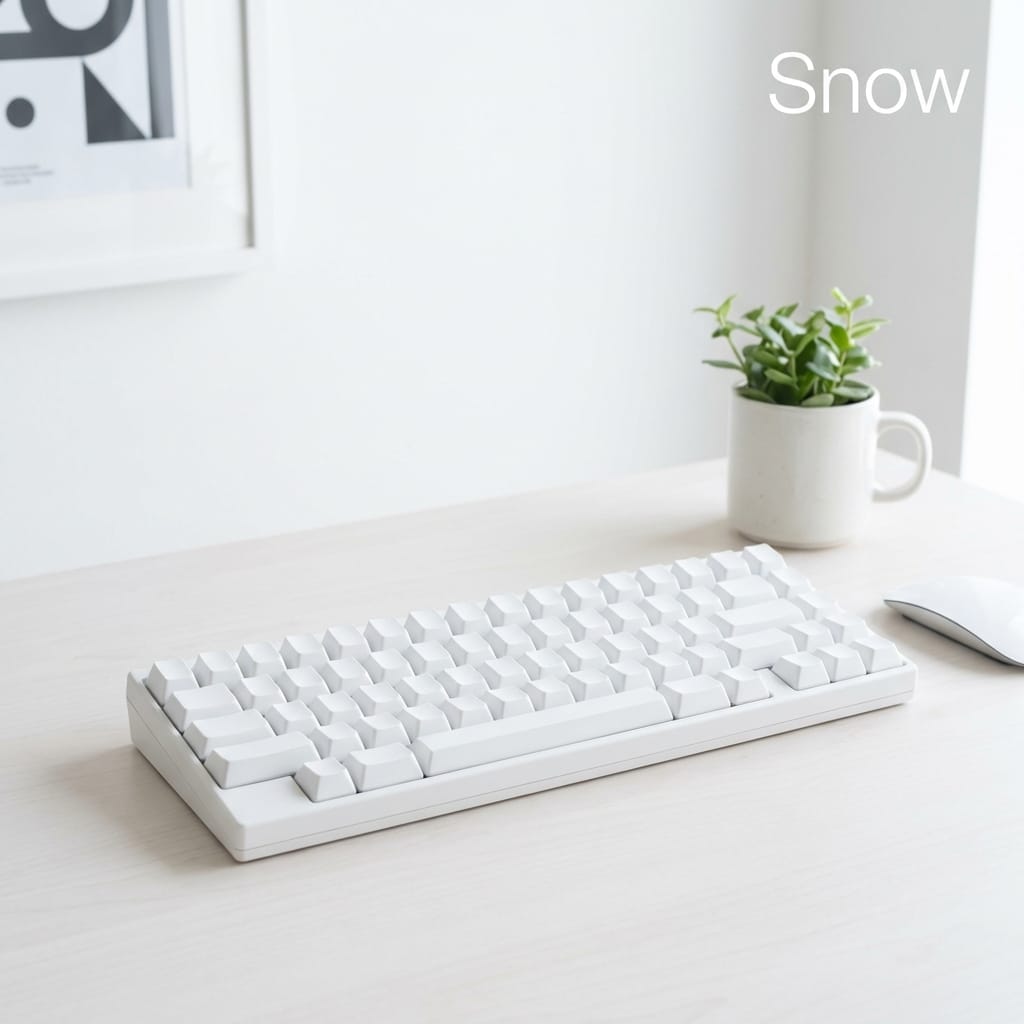
The most significant feature of HHKB Studio “Snow” is its coloring. The cool gray legends on the pure white housing strike an exquisite balance, maintaining visibility without being too assertive.
From a color psychology perspective, white is also said to be a color that enhances concentration and stimulates creativity.
Innovation Named Typing Feel: The Switch to Mechanical
Evolving While Inheriting HHKB Tradition
While the Topre electrostatic capacitive non-contact switch was synonymous with HHKB, Studio adopts quiet linear mechanical switches (jointly developed with Kailh) .
A pleasant “clacky” or “thocky” feel that differs from the traditional “squishy” feel. The 45g actuation force prevents fatigue even over long periods, and there is a solid bottom-out feel.
Furthermore, by supporting hot-swapping , it has become a “lifetime” tool in the true sense, as switches can be easily replaced if they fail.
The Challenge of the Pointing Stick
Familiar to ThinkPad Users, but Not for Everyone
The stick in the center of the keyboard is a point where preferences are divided.
Pros : Once you get used to it, it’s faster than a mouse. Cursor correction during text input is particularly lightning-fast. Cons : It is not suitable for precise operations such as detailed photo retouching.
The pointing stick is not a “complete replacement for the mouse.” A realistic way to use it is to use the stick for coarse movements and the mouse for precision work.
- + Overwhelming efficiency as hands never leave the home position
- + Sophisticated design and immersion of the Snow model
- + Customizability (keymaps, sensitivity, 'gestures')
- + Hot-swap support for long-term use
- - Takes time to get used to (especially the stick)
- - Too heavy to carry around (approx. 840g)
- - High price
- - Some key setting constraints for Mac users
Possibilities of Gesture Pads
Functions Hidden in Four Touch Sensors
Scrolling and volume adjustment are possible via pads on the sides and the front.
However, misoperations have also been reported. If you find yourself touching them while typing, adjustments such as disabling the front pads using the keymap tool are necessary.
Freedom of Keymap Tool
Using the dedicated tool, you can finely set not only the key layout but also the stick sensitivity and gesture behavior.
You can save up to four settings, such as for Windows, Mac, or iPad, directly to the device and switch between them instantly with shortcuts.
Summary
HHKB Studio “Snow” is the most ambitious model in the HHKB series, which has a 27-year tradition.
When you actually use it, you notice the consistency of its design philosophy. Not breaking the home position. Not interrupting the flow of thought. These are all the very philosophies that HHKB has held since its founding.
It is not optimal for everyone. However, for those who cannot tolerate the few seconds of loss in reaching for a mouse, and for those who use multiple devices, there is no better choice.
Experience the clean whiteness of “Snow” while your thoughts are reflected directly on the screen. Please give it a try.
Reference Information

PFU HHKB Studio Snow (Japanese Layout)
Main Specifications
- Interface: Bluetooth (up to 4 devices), USB Type-C
- Key Switches: Mechanical switches (45g actuation, 3.6mm stroke)
- Number of Keys: 72 keys (72-key JP layout)
- Pointing: Yes
- Gesture Pads: 4 capacitive touch sensors
- Size: W308×D132×H41mm
- Weight: 840g (excluding batteries)
- Power: 4x AA batteries or USB power
- Operating Time: Approx. 3 months with alkaline batteries
- Compatibility: Windows, macOS, Android, iOS, iPadOS, visionOS
Tags
#HHKB #HHKBStudio #Keyboard #MechanicalKeyboard #WorkFromHome #RemoteWork #Productivity #Gadget #ForCreators #PointingStick


⚠️ コメントのルール
※違反コメントはAIおよび管理者により予告なく削除されます
まだコメントがありません。最初のコメントを投稿しましょう!