
If you’ve been looking for a white gaming monitor to create a desk environment unified in white, the MSI MAG 274URFW is the perfect one for those who don’t want to compromise on performance.
Why I Chose This Monitor
When I decided to renew my desk area with a white base, the biggest worry was the lack of “white monitors with gaming performance.” There are many white monitors, but few meet all the criteria: 4K, high refresh rate, and response speed.
Among them, I found this MSI MAG 274URFW. It’s a rare existence that allows you to maintain unity with its white design while having specs usable for both games and creative work, such as 27-inch, 4K, 160Hz, and 0.5ms.
MSI MAG 274URFW
Hands-on Impressions
The Desk Environment Became Instantly Stylish
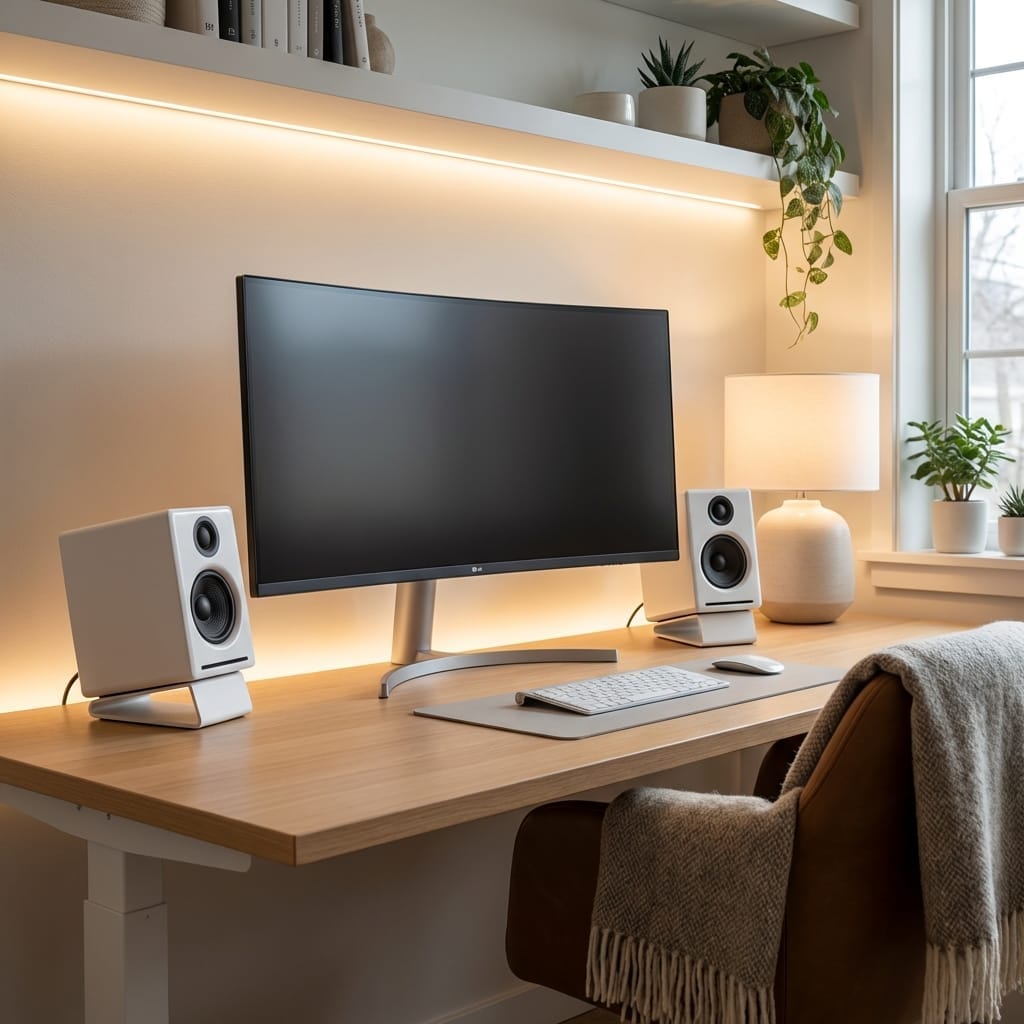
First of all, the impression when I finished assembling it after it arrived was “It”s whiter than I imagined.” The stand parts are also unified in white, and when placed next to a white desk, white keyboard, and white mouse, it creates a space like in an interior magazine. The design, where the ruggedness and showiness characteristic of gaming monitors are suppressed and doesn’t destroy the atmosphere of the entire room, is a major point.
4K x 27-inch Workspace is Too Comfortable
What I felt first after starting to use it was the width of the workspace . When switching from Full HD or 1440p, the amount of information that can be displayed on the screen increases overwhelmingly. There is plenty of space to open Spotify or Discord alongside a browser, and in video editing, I can display the timeline and preview widely at the same time, making the work efficiency fundamentally different.
Even in text work, the characters are clearly displayed, so it’s hard to get tired even when looking for a long time. However, some people might feel the text is small with 4K 27-inch at the initial setting. Adjusting the Windows scaling setting to 125%-150% makes it just the right size.

Isn’t the text small with 4K 27-inch? Any trouble with work?

Perfect with scaling setting adjustment! Setting it to 125% makes the text easy to see while still enjoying the wide workspace.
From 75Hz to 160Hz: Surprised by Mouse Smoothness
I was using a 75Hz monitor before, but the moment I set it to 160Hz, the movement of the mouse cursor entered a different dimension of smoothness . This is a change you really can’t understand unless you experience it. When aiming in FPS games or moving the camera around, the target became easier to hit because the viewpoint moves smoothly.
Since it has a RAPID IPS panel and a response speed of 0.5ms (GTG, minimum), there is almost no afterimage even in fast-moving scenes. Turning on the Anti Motion Blur (Black frame insertion function) further suppresses afterimages and improves visibility in games with high competition.
Image Experience Changes with HDR
Since it supports DisplayHDR 400, when playing HDR-compatible games or watching movies, the brightness/darkness contrast and the expression of light become fundamentally rich. For example, in scenes with sunlight or explosion effects, the light expression is beautiful, and I felt anew “Was the usual game this beautiful?”
However, I was a bit confused by the initial setup for HDR . If the Windows side remains at initial settings, the entire screen may feel dark. This was solved by adjusting “SDR Content Brightness” in the Windows HDR settings. Also, there were some items that were grayed out and couldn’t be changed in the display settings, and I was confused at first, but it didn’t cause any particular trouble in use.
Excellent Ergonomics
Since it supports height adjustment, tilt (up/down angle), swivel (left/right rotation), and pivot (vertical rotation), you can adjust it finely to suit your posture and gaze. I’m subtly happy that the burden on my neck and shoulders has decreased when playing games or working for a long time.
Since it is also equipped with anti-flicker and blue light cut functions, I feel that eye fatigue has also been reduced.
Outstanding Compatibility with PS5 and High-End PCs
Since it is equipped with HDMI 2.1, connecting with a PS5 allows for gameplay at 4K 120Hz (Limited titles). Even in PC games, titles where you can aim for high frame rates at 4K resolution have increased if you have a GPU of RTX 4070 or higher.
Since it is FreeSync Premium compatible, “combining it with an AMD GPU allows you to enjoy smooth video while suppressing tearing and stuttering.
Pros and Cons
- + The desk environment becomes stylish with a beautiful design unified in white
- + Excellent color reproduction with 4K RAPID IPS, ideal for both games and creative work
- + Good response feel in FPS and action games with 160Hz + 0.5ms
- + Rich contrast and light expression with DisplayHDR 400
- + Flexible height and angle adjustment, hard to get tired even with long use
- + Peace of mind with a 3-year warranty from MSI Japan
- - An RTX 4070 class or higher GPU is effectively required to utilize 4K 160Hz
- - HDR settings need to be adjusted on both Windows and the display
- - Text might feel small with 4K 27-inch, requiring scaling settings
- - Appropriate for the 4K 160Hz class, but slightly expensive compared to WQHD 240Hz monitors
Recommended for
People who won’t regret buying it:
- People who want to build a desk/gaming environment unified in white
- People who want to use it for video/photo editing and work as well as games
- People who want to balance 4K high image quality x high refresh rate on PS5 or high-end PCs
- People who don’t want to compromise on either design or performance
People who should consider other options:
- People for whom “refresh rate prioritized over 240Hz” is paramount for competitive FPS
- People for whom it’s enough to play comfortably at around 1440p 165Hz-240Hz while keeping the budget low
Summary
The MSI MAG 274URFW is an ideal gaming monitor for those who want to build a white desk environment. Since it combines high specs such as 4K, 160Hz, and RAPID IPS in addition to design, both games and creative work can be performed comfortably.
The initial setup for HDR takes some effort, but once adjusted, it’s a unit where beautiful images and smooth movement will significantly increase the satisfaction of the entire desk environment.
If you are wondering whether “this monitor is truly the best” or “another candidate for WQHD high refresh is better” depending on your GPU environment or the genre of games you play, let me know your specific use case, and I can give you more detailed advice.




⚠️ コメントのルール
※違反コメントはAIおよび管理者により予告なく削除されます
まだコメントがありません。最初のコメントを投稿しましょう!